Integration

How to integrate the module

This is a quick introduction to get you oriented, not a detailed guide. For the full technical and legal requirements needed to integrate successfully, please refer to our official documentation

01 / WHERE THE MODULE RUNS

First question: does it run where you do?

Almost certainly yes — desktop, mobile, smart TV, and server are all covered. And once you’ve found your platform in the table below, the more useful fact is what comes next: the work is the same everywhere. Same six concepts, same call order, only the language bindings change.


Platforms table — AI Gateway
OS Languages and runtimes
Windows C/C++, .NET / C#, Node.js / Electron
macOS Swift, C/C++, Node.js / Electron
iOS Swift
tvOS Swift
Linux C/C++, Node.js / Electron


C/C++ bindings work with anything that can call a C-style library interface — Rust, Go, Python C extensions, Node.js native add-ons, Java via JNI, and similar.

Other platforms and use cases are evaluated on request.

02 / SIX CONCEPTS, ONE ORDER

The whole system reduced to six concepts

Different platforms name them differently, but they all follow the same sequence. Learn the pattern once, and every integration becomes easier to understand. Five steps are execution. One step carries the actual thinking.

01

API key

Created in the partner dashboard. One key per application you’ll integrate.

02

Initialise​

A single call. Passes the API key. Idempotent if called again with the same key.

03

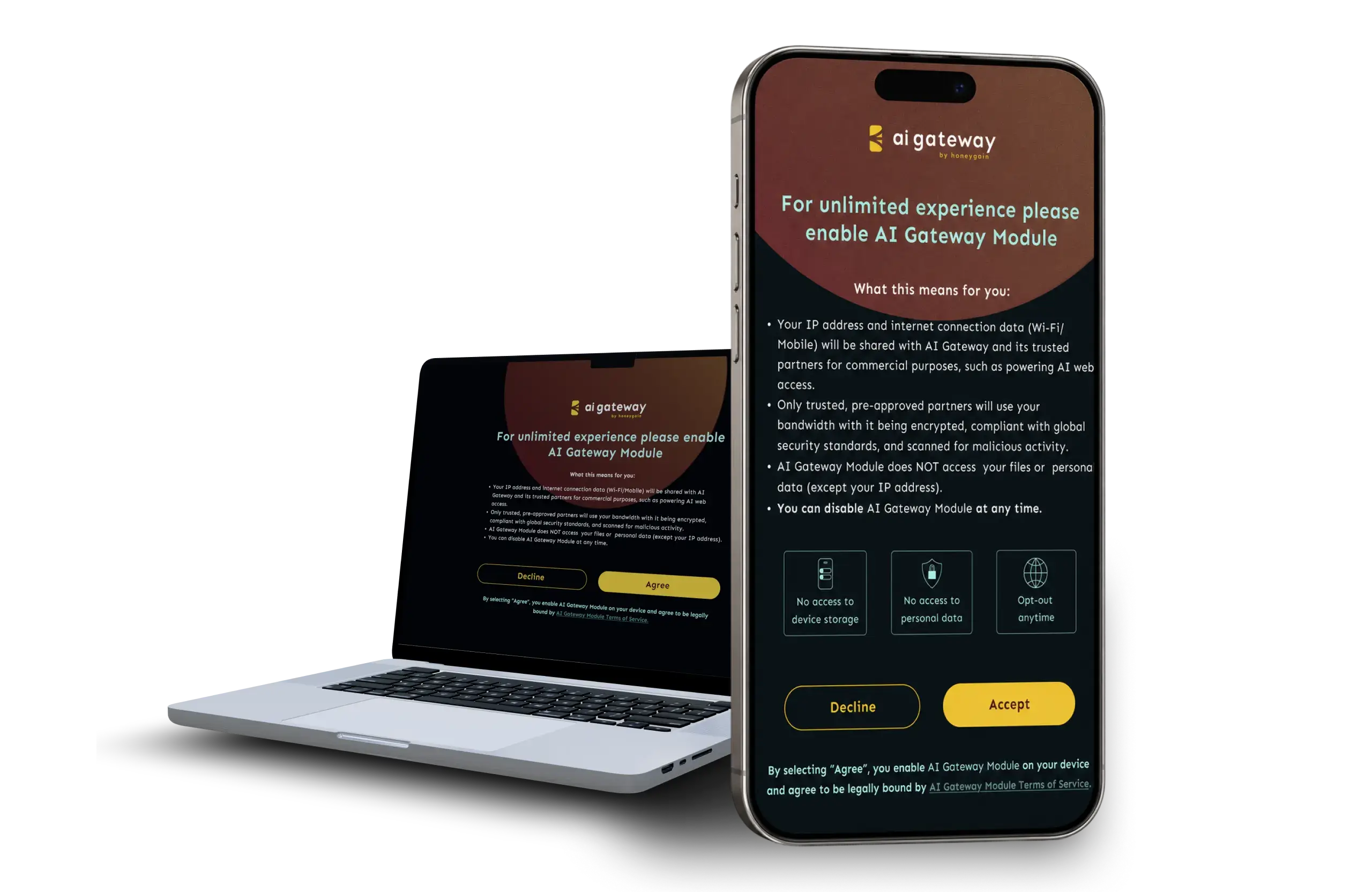
Consent​

Two paths: show the built-in consent screen, or capture consent in your own UI and call optIn. Both are first-class; neither is a workaround.

04

Start

Non-blocking. The Module begins routing traffic in the background. Only runs after consent is confirmed.

05

Stop

Non-blocking. Used on app close or when the user revokes consent.

06

Opt-out

Persists revocation, stops the Module if it was running, and prevents future starts until consent is given again.

Platform-specific code, function names, and sample apps are in the documentation. The conceptual model above describes every integration.

Available on

Windows
Apple
Linux
Tizen
WebOS
Unity

04 / THE OPT-OUT CONTROL

Opt-out is accessible, simple, honest

Consent that can’t be withdrawn isn’t consent. So the screen in the last section has a counterpart: an opt-out the user can reach any time. Three requirements define it, the Module enforces them, and the review confirms them – accessible, simple, honest.

Example toggle pattern

Requirement Meaning
Accessible In the app's settings menu. Not hidden. Not behind extra steps. Not requiring action outside the app.
Simple A single toggle with clear current-state indication.
Honest Re-enabling cannot be easier than disabling. State persists across sessions.

Opt-out is reviewed during submission. Dark patterns block approval.

05 / THE REVIEW

Every integration is reviewed before going live

Review scope

Consent and Integration Quality

The review checks the consent flow, opt-out experience, value-exchange copy, and overall integration quality.

Shared standard

A Deliberate Manual Review

Manual review is a core part of the model. Partners who clear it join a network where every other partner has met the same standard.

Ongoing accountability

Re-Reviews and Enforcement

Re-reviews take place when material changes are shipped. Partnerships may be terminated if violations are detected after launch.

06 / THE DOCUMENTATION

In-depth guides live in the docs

Technical reference. Platform-specific guides. API documentation. Sample apps.

What does the network look like as an institution?

How does a request actually flow?

Where's the code?

Evaluate your product’s monetization potential

Answer a few short questions — we’ll review your setup and follow up with a tailored recommendation.